Monetization Magic

Colorado Website Development

  • Home
    • Blog
  • Business Coaching
    • Action Strategy Session
    • Coaching Call Prep Form
    • Monetization Mastermind Table
    • Platinum Inner Circle
  • Services
    • Back Up and Website Maintenance
    • Hosting
  • Done For You
    • Small Business Quick Start
    • Website Development
      • Website Portfolio
      • Our Process
    • Advertising Maintenance
    • Video Web Commercials
      • Video Portfolio
  • About
  • Coaching Call Prep Form
  • Free Resources
  • Upcoming Classes
  • Media
  • Contact

10 Steps to Optimize WordPress

By SoftwareGirl

Are you getting complaints that your website is slow or are you noticing that your bounce rate is increasing? Are you approaching the limits on your hosting contract? Your WordPress website might need to be optimized. Following these 10 steps will take you a long way toward improving your site performance:

Use Firebug and Yslow

firebugYou’ll need to strike a baseline to determine what the speed is before you begin to optimize so that you’ll be able to determine if what you’re doing is making things better or worse.  Using  Firebug in conjunction with YSlow will provide you detailed information on how long it takes to download your website as well as how much bandwidth it uses up. Use the Blog Workbook from the your 7-Day Blogging eCourse to record your bandwidth and disc space usage. 

“Smush” the Pictures

When you take a digital picture a lot of information is stored with that picture such as type of camera, the lens that was used and lots of other information.  You want to use the highest quality images you can with the smallest file size without losing quality.  The best way to accomplish this is to save bandwidth and thus decrease your loading time by removing the unnecessary information from pictures.  SmushIt is a WordPress plugin that automatically decreases the size of images, without losing any quality, anytime you upload an image to your blog which dramatically increases your blog speed.

Upgrade WordPress

Upgrading your WordPress version is just a good move because upgrades usually include several performance upgrades, security enhancements and fix issues which could slow down your server.  WordPress is great about notifying you when there’s an upgrade available and you can set it to upgrade automatically for you.

Pick the Right Web-host

Your webhost is where your website lives.  The equipment that the webhost uses will determine how fast your website is served up to your readers.  I have had many compliments on how fast my websites are delivered to my readers.  I offer webhosting at Monetization Magic for very modest prices.  My hosting is built on the same type of backbone as HostGator.  HostGator is the only other hosting service that I can reasonably recommend.  Use Coupon Code “MonetizeMe” to receive a discount of $9.94 off the package price. Coupon codes will not apply to domain names or any service which is not a hosting account.

Reducing the Number of Plug-ins

Obviously this is an essential step to decrease the load time. Every WordPress blogger uses lots of plug-ins but are they all really needed? Just ask yourself whether a plug-in adds value to your blog. If it does than keep it running, otherwise get rid of it.  Basically run a clean, well maintained machine for best performance.

Optimize your Database Every Week

Optimizing your database is important because it reduces the load time. You can either do this manually or just use a plugin, either way should work fine. If you want to use the plugin then download the Optimize DB plug-in, upload it to your blog and activate it. Then go to Tools ? Optimize DB and click on Optimize Now. If you want to do this manually then go and log into phpMyAdmin. Find your WordPress tables and select all of them by clicking on the check boxes. At the bottom of the page you should then be able to choose the Optimize Table and/or Repair Table option. This will reduce the database size.

Delete Blog Post Revisions

Blog post revisions are the snapshots of the blog post every time you publish.  If you’re like me, you will create the initial post, review it, revise it and then republish again.  Repeat until satisfied with the outcome.  There have been times when I revise a blog post 30 or more times before I’m satisfied!  All the earlier versions where I wasn’t satisfied with them simply aren’t necessary.  They are just cluttering up the database.   To remove them, login to your control panel and use phpAdmin to access the database.  Then enter this query to delete post revisions:

DELETE FROM wp_posts WHERE post_type = “revision”;

This command will delete all the revisions while keeping the actual current blog post intact.

Prevent Content Scrapers from Consuming your Bandwidth

There are a lot of content scrapers these days. What they usually do is to visit your website and simply copy some of your content. They then go ahead and paste this content onto their own site. The problem is that they usually also copy images which link back to your site. Every time a user takes a look at their copied content your server will have to serve the image which consumes bandwidth. This is also refer to as hotlinking. In order to prevent this add this code to the .htaccess file in the root directory and replace the blog and image URL:

RewriteEngine On
#Replace ?mysite.com/ with your blog url
RewriteCond %{HTTP_REFERER} !^http://(.+.)?mysite.com/ [NC]
RewriteCond %{HTTP_REFERER} !^$
#Replace /images/nohotlink.jpg with your “don’t hotlink” image url
RewriteRule .*.(jpe?g|gif|bmp|png)$ /images/nohotlink.jpg [L]

That should prevent content scrapers from hotlinking.

Use the Right Format when Saving Pictures

Some people make the mistake of using the wrong image formats when saving pictures. The three most popular image extensions are .png, .jpg and .gif. Each of these formats has different advantages. A picture image taken with a camera and without a lot of writing is best saved with the .jpg extension. Simple images with only a color background and some writing, without any fancy effects are best saved as .png or .gif. The best way to learn the correct format to use is to simply go ahead and save pictures in all three formats. Then take a look at the file size and the image quality. That way you will get a feel for when to use which image format.

Host Your Own Code and Images

Whenever you include a script, image or something similar from another website, the browser has to perform an additional DNS query for that website in order to find out its IP address. This additional query adds to the response time for your website. Note to Affiliate Marketers:   Whenever you are deciding on promoting a product as an affiliate, don’t just copy and paste the code that is given to you on the affiliate page. Around 80% of these banners have a bigger file size then they should have. Be sure to download and optimize the pictures using Smush.it before uploading them to your blog. Sometimes also changing the image format helps to reduce the size of the banners.

Enhanced by Zemanta

Filed Under: Performance Tagged With: blog, Inline linking, optimization, Optimize DB, PhpMyAdmin, Plug-in (computing), speed up WordPress, Tools, WordPress, WP Super Cache

5 Simple Ways to Create More Money Now

By SoftwareGirl

If you’ve been to the grocery store recently, it is no doubt that you have noticed the cost of groceries rising.  In terms of your budget, you can either cut expenses or increase your income.  This particular downturn in the economy has been around for quite a while.  What can you do when you’ve already cut your budget to the bone and beyond?

Basically you need to create new income right now.  A 2010 survey by the Conference Research Group revealed that as many as 55 percent of Americans are dissatisfied with their current jobs.  You could go out and get another job you hate and try to weave your life around that or you could create something with what you already have to bring in additional money while keeping your sanity.  If you’re going to expend the effort, you might as well create something that you love, right?  Obviously, we can’t just print money like the government does, so what can you do?  You have expertise and interests that are your gifts to mankind.  It is your duty to share those gifts with your fellow man!  You will be amazed at what happens and how enriched your life becomes when you share your gifts.

1.  Start your own blog about your passion. Starting a blog about your passion is very easy to do.  There are many resources out on the internet including a FREE 7-Day eCourse on this very website.  If you are passionate about a subject, chances are you know a great deal about it.  Because you know a great deal about it, you won’t be struggling to find content to write for your blog and the time you invest will be pleasurable.  This is an activity that can be performed any where you have an internet connection.  When you use Google Adsense and visitors to your blog click on your links, you make money!  Just concentrate on providing great value to your readers and the money will come.

2.  Teach a class about your passion. Sharing your information and expertise about your topic is great and it’s even better when you meet other people with similar interests.  The best way to do this is to teach a class about your topic.  You will not only meet folks with similar interests but you will meet those who are looking for solutions to problems that are related to your topic.  Take the time to speak with your new students and find out about them.  Find out why they attending your class and ask them how you can be of assistance to them.  Provided that you are not selling anything at your initial class, you will find many restaurants with meeting rooms who are willing to provide you with meeting space free of charge.

3.  Offer services that surround your passion. Once you have had the opportunity to mingle with your students, you will have a good idea of what their needs are surrounding your passion.  You can then either create services to solve their problems or find someone who already provides that service and you can negotiate a deal to be paid for putting their service in front of your students.  When the students pay for the service, you get paid.  You’ve saved the service provider money on advertising and you’ve helped to solve your students problems.  By doing this, you have created value for all the people involved including yourself!

4.  Sell products affiliated with your passion. You can also either create products that your readers and students want or you can find them and make them aware of the products.  Once again, you will want to create an affiliate relationship with the vendor prior to introducing the product to your reader/student so that you can be paid when they purchase the product.

5.  Write an e-book pertaining to your passion. Because you are so passionate about your topic and you have created hungry readers with your blog, you can easily write an electronic book or e-book to further education your audience on your topic of choice.  Once the eBook is written, you can sell it on your blog for another influx of money.  You might even consider creating a workbook that could be used as a complementary part of your classes.

Hopefully, this gets your creative juices flowing about how to begin to create avenues of income surrounding your passion.  Creating value for your readers is your number one priority!  As the old adage says, build it and they will come.  You can be paid handsomely for solving problems for other people.  The first step begins with your 7-Day eCourse.  It’s free so sign up today!


Filed Under: Custom Websites Tagged With: blog, Business, E-book, Google Adsense, great value, RSS, Student, United States, WordPress

UPDATE: Are QR codes the Mark of the Beast or the best?

By SoftwareGirl

I recently heard someone speaking about QR codes being the Mark of the Beast.

What are QR codes? In a nutshell, QR codes are paper based hyperlinks.  Anyone in the blogging community knows that one of the keys to great search engine optimization is making sure you keep your website content updated, new and fresh.

Whether you do this with a blog, or you change your homepage with new offers, coupons or new products, it serves to show Google that your site is “alive.”  Having a blog is an easy way to keep the site “alive” with new content and comments from your readers.  That is one reason why Facebook has an Alexa score of 2 at the moment.

qrcode

QR code for Monetization Magic

Small businesses sometimes struggle with this if they have the typical billboard type website.  Once they upgrade their website to include a blog, that helps but what’s the next logical step?  Have you heard of QR codes yet? Here is a quick introduction: What are QR codes? They look like this:

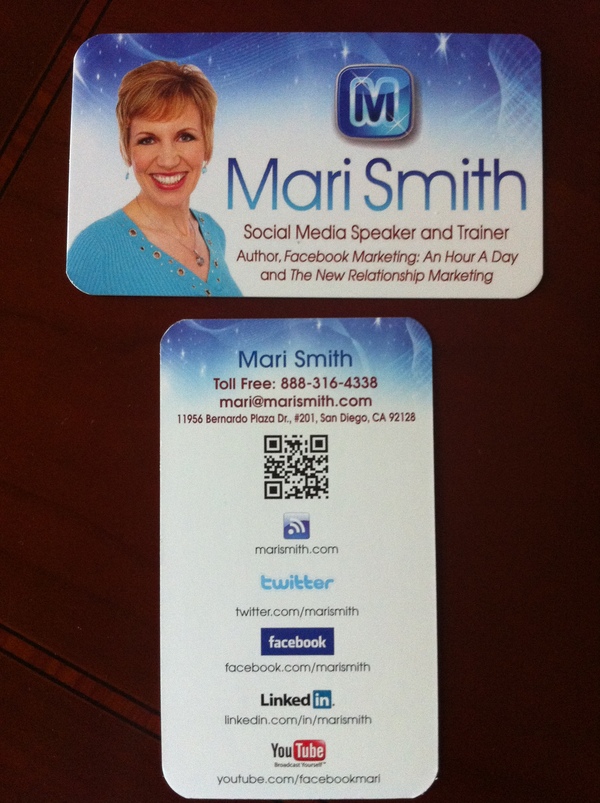
They come to us from Japan where they are very common. QR is short for Quick Response (they can be read quickly by a cell phone). They are used to take a piece of information from a transitory media and put it in to your cell phone. The airlines have been using them as early as 2008.  You may soon see QR Codes in a magazine advert, on a billboard, a web page or even on someone’s t-shirt.  Mari Smith gave me the idea of putting it on the back of her business card! That’s an excellent networking idea!

Once it is in your cell phone, it may give you details about that business (allowing users to search for nearby locations), or details about the person wearing the t-shirt, show you a URL which you can click to see a trailer for a movie, or it may give you a coupon which you can use in a local outlet. The reason why they are more useful than a standard barcode is that they can store (and digitally present) much more data, including url links, geo coordinates, and text. The other key feature of QR Codes is that instead of requiring a chunky hand-held scanner to scan them, many modern cell phones can scan them.  The full Wikipedia description is here.

How does the cell phone read the code? The cell phone needs a QR code reader. It takes literally 1 minute for someone with an iPhone or Android phone to find and install the reader.

How do you generate a code? You can easily generate a QR code using a site like Kaywa.com or you can use the Open Source code to generate codes for you if you have a smart developer on hand.

How can you use QR codes to benefit search marketing? Here are a few examples of how others are using them.  How will Google see them? If you add them to your website, the search engines will see that your pages have changed, and that you are updating pages. The search engine will see a new image and index it accordingly. At some point soon, the search engines will likely recognize QR codes and possibly index the content in them.

Will your customers use them? Today, a few may use them, but those that do will certainly appreciate your tech knowledge, and those that don’t will certainly be inquisitive, which may open the door for conversation and a potential sale. Those that do use QR codes will definitely have a high tech know-how and may be more receptive to your presence on the web, your Twitter presence, Facebook, MySpace, YouTube etc.

How could you use a QR code? Your business, no matter how small or large, could use QR codes in a number of ways. You could use them to direct your contacts to ever changing areas on your website.  Prospective employees could use them to point to their resume online! The QR code is generated and the link to which the code points can be changed.  I do see an issue there.  You will want to use a very secure password to generate your QR code so that you can retain control over where it points.

I think it’s neat to be able to use them when I’m visiting new places of interest.  I can see them being used to store video and audio of places of interest.  I think they’ll be awesome for the education system!  Perhaps this will help to usher in a mobile education system?

Need to know how to assemble something and you’re concerned about an issue with language translation?  No problem!  You’re instructions are now a video that is translated into your native language!  How awesome is that?!  Teachers could use these in their teaching plans to come up with all sorts of teaching tools to relate our history to our present day activities.

These codes are currently printed on paper.  Could they be tattooed? They could but will the QR reader be able to read them?  Have you ever seen someone who got a tattoo when they were in their 20’s that is now in their 50’s or 60’s?  The tattoo becomes distorted over the years.  The ink bleeds into the skin.  If the person has gained and lost a lot of weight, again, there is more distortion.  They are simply not practical for this application.  The mark can be removed or re-pointed to a null pointer rendering it useless.  So I don’t believe there is anything to be concerned about concerning QR codes in connection with the mark of the beast and end times predictions.  You can breathe now!

UPDATE: Apparently some folks are actually getting these QR codes permanently tattooed on their skin!  I knew it was just a matter of time; however, as I stated above, it’s only a matter of time before the tattoo will distort due to age.  The tattoo in the video below is large.  Never underestimate the power of marketing!

That being said, temporary tattoos might actually be a good thing for this band member.  Bands evolve rather quickly and so a permanent tattoo is not a good idea.  Even the Beatles split up after a while!  A temporary tattoo could be sold to the fans of a band and that would further promote the band to others who would actually be interested in hearing the music thereby creating more fans and eventual ticket sales.

Although this tattoo parlor looks to be fairly legitimate, I would have preferred to see this tattoo artist counsel his patron on a better way to get the word out about his band.  Indeed, the tattoo artist may have already done that, this is a short video and it just doesn’t show it.

Google has already moved on past QR codes in favor of NFC technology as of last December according to this article….rethinking that permanent tattoo yet?

Enhanced by Zemanta

Filed Under: Technology Tagged With: Facebook, Google, iPhone, Mobile phone, MySpace, Number of the Beast, permanent tattoo, QR Code, tattoo, temporary tattoo, Uniform Resource Locator, YouTube

What’s the Difference Between Tags and Categories?

By SoftwareGirl

What are WordPress Tags? What do they do?

These little tags that you add to your blog posts are used by All in One SEO and the search engines as the keyword phrases of your post.  They basically say what your post is about.  They also help search engines to find your posts.

Does this mean the more tags I have the better?

No, you don’t want to put any irrelevant tags on your posts. In fact, Google will lower your rating if you put irrelevant tags on your posts.  I would recommend about 5 targeted tags that have to do with that particular post.

You’ll want to include the obvious keywords that pertain to your post as a tag.  Also include other keywords that people might use when looking for a post like the one you are writing.  For instance, this post is about “tags” and “categories” and one might look for “keyword phrases” as well.  Be sure to use synonyms for your tags as well.  Using 5 tags for each post should be plenty.

Keep in mind who your target audience is.  If it’s geographically specific, you could potentially corner the market in terms of having a top search result for that topic.  For instance, “small business owners” or “small business owners in Las Vegas, NV” would attract a different set of readers.

How do I pick my categories?

Categories are the broad topics that you would use to classify your posts.  Several posts should fit in each category.  Find the highest searched related keywords to give you a start on your categories.  You can see the highest searched keywords by looking at your Google Analytics reports.

Since the categories are broad topics, it is possible to have one post that fits in several categories.  You don’t have to have a post for each category; however, you can have several categories for each post.  It is acceptable to have only one post for a single category.

Your categories should be 2-3 words long at the most.

How many categories should I have on a blog?

I would recommend about 5 – 10 categories depending on how many sub-topics you can go into on your blog that still fit with your main blog phrase.

In general, tags can be specific and categories are designed to be general yet relevant to your post.

Here’s a tip:  Since I use both tags and All In One SEO on my blog posts, I had to find an easier way to include my keywords without typing everything twice.  The tag area likes to put an “X” between each entry.  So I use Notepad ++ to do a search and replace to turn the X’s into commas and then copy and paste into All In One SEO.  It’s just a small task but it does cut down on some time as I’m not always the best typist in the world.  By the way, Notepad++ is a free application.  I love free, don’t you?

Filed Under: Creating Content Tagged With: All-In-One SEO, blog, Google, Google Analytics, Keywords, WordPress

Best Advertising for Small Business Owners

By SoftwareGirl

Surely by now you’ve heard about the coupon sensation called Groupon?  If you’re a small business owner, this is an excellent service! Since the buzz created with Groupon produces paying customers rather than just browsers, I consider this the best advertising for small business owners!

Groupon will use the social networks for you to get the word out about your special offering.  They encourage deals to be sent out to friends or being using by friends to add to the fun.  Prospective customers can use their social networks to arrange plans and further spread the word about your business.

Groupon negotiates huge discounts—usually 50-90% off—with popular businesses. They send the deals to thousands of subscribers in their free daily email, and they send your business a ton of new customers. These are not just browsing folks on the internet, these are actual paying customers that have already purchased and are ready to redeem their coupon purchase.  That’s the Groupon magic!

There are no out of pocket costs associated with being featured on Groupon. They make money by taking a piece of each Groupon they sell. In other words, they only win if you win – and you know what you’re getting at every step of the process.

Since a minimum number of people must buy for the offer to be valid, Groupon guarantees paying customers. These subscribers are not looking for “the perfect deal.” They’re looking for the perfect excuse to try something new. They get them to your business, and you bring them back again and again.

A Groupon feature puts you in front of thousands of subscribers in each Groupon city – with thousands more opting in each day. Their subscribers share your offer with everyone they know via Facebook, Twitter, and other social media. This buzz will continue to attract new customers for months following your feature.

Just as you’ve seen people who have appeared on Oprah before they are ready, you should also be ready to receive a flood of customers to your business prior to advertising on Groupon.  It makes you look better when you’re prepared and there’s less stress that way!  Before advertising with Groupon, think ahead of time about how you will bring these new customers back again and again by offering a special promotion just for them once they visit your store.

Do you have a fitness business and you’re offering New Year New You packages?  Perhaps you’d like to offer a special on a cruise celebration once they’ve reached their goal weight to show of their newly acquired physique?  Or perhaps you could do a buy one get one at half price special for the cruise or other special event?

Groupon allows you to target a specific area which makes it great for opening up a new area of your town or state or section of the country.  Perhaps you would like to couple it with a fund raising event to double your exposure and donate to a good cause as well.

Be ready to create a buzz about your incredible offering and get your message out to thousands of people for your next big launch.  Contact Groupon today!

Filed Under: Services Tagged With: Advertising, best advertising, Business, Customer, Facebook, Google, Groupon, LivingSocial, New Year, Small business, small business owners, Social network, Twitter

Firefox Extension That Enhances Your Blog

By SoftwareGirl

Are you working smarter or harder?   Well today I am going to show you how to blog smarter. What does this mean exactly?  I have always found that being organized have having my tools close at hand has always increased my productivity.

I just started using a fantastic little FREE Firefox addon that automatically gives me related links, photos, articles and tags as I type my blog posts.  I use it to enhance the quality content and tags in my blog.

No more searching for related information to add to my posts. It appears right on my wordpress admin post page. Let me show you…

How to I get this? Easy! Head on over to Zemanta.com and click on the Download Zemanta Firefox Extension button.

How I Use Zemanta

I do not use the “Links” they provide in my blog posts. Why? It creates “leakage” on my site.  I prefer for my readers to stay on my blog and read me articles.  I have no control over what someone else puts on their site.  I do use them to find more information to write about.

Secondly, I only use photos that are either licensed as Public Domain or I create them myself. Why? Because if they are Public Domain I don’t have to post a link to the source like I would with the other images.

As far as articles go, it is great that they do research for you and give you different articles related to your blog post. I often visit them and read what others are saying about the topic. It’s a treasure trove of ideas for your own blog.

I LOVE that they give me tags for my blog posts. I just need to click on the related tags and it does the work for me.  This is awesome!  I’ve been using tags since the beginning; but I always felt like I was overlooking some tags…but which ones?  Now I know and can include them with the clickety-click of my mouse!

The BEST Part

Let me tell you the BEST part of Zemanta. Above all, this is the main reason I use it… It leaves a little symbol at the bottom of your blog posts that looks something like this:

This little button gets me more backlinks than articles posted to an article directory!  However, this only works if you have really high quality blog content.

How it works: Someone visits your blog and falls in love with your posts. He or she clicks on the REBLOG button and is presented with a choice of different quotes from your blog post that they can post on their blog in exchange for a backlink to your post.  You get to contribute to someone else’s success and you receive a back link in return.  That’s a win/win situation!

This does not mean they get to copy your post. They can only choose one paragraph to quote and you gain a backlink and some free publicity and advertising for your blog.

So if you don’t use Zemanta for any other purpose, use it as link bait! Get your backlinks and increase your search engine rankings.

What are Backlinks and Why are They Important?

Google and other search engines often base your rankings depending on how popular your blog is. The more backlinks you have the more important your blog looks. You want to gain as many HIGH QUALITY backlinks as you can.

Filed Under: Creating Content Tagged With: Add-ons, blog, Blogger, Clients, Firefox, Google, Zemanta

Blogging Economics and Disaster Recovery

By SoftwareGirl


Joan Pounds, EzineArticles.com Basic Author
Are you getting good value for the money you are spending to keep your blog up and running?  Are you overspending on tools for the position your list is in this month?

Hosting can run anywhere between $0.01 (yes, you read that right) and $20.00 per month per website.  An autoresponder can cost anywhere between free (yes, you read that right) and $75.00 per month or more depending on your list size.  So if you’re beginning, do you think positively and buy the largest package available believing that you will grow exponentially this month or do you sign up for what you need today and upgrade as you need it?

Are there other factors to consider besides price in choosing your services?  Some of the factors that might be worth considering would be ease of use, flexibility, support, availability, scalability and speed.  Does the tool do what you need it to?  If it doesn’t, then it doesn’t matter how much it costs – it’s not worth your time to mess with it!

For a beginner, support is essential!  Do you enter a ticket into a help desk system to be answered …. someday (which is not a day of the week) or does a human with a pulse answer your request?  When I’m learning something new, I find it to be quite nice to have a friendly voice on the other end of the phone.  I don’t mind waiting 24 hours to get an answer; however, I’d like an acceptable answer within a reasonable time frame.  If I’m paying a premium price, I’m expecting great service!

Quality in hosting is many times determined by service availability and speed.  Did you know that you can get hosting that has 99.9% availability for less than $5 USD per month?  That’s not the introductory offer.

What does 99.99% availability mean?  Why is that important?  Availability is defined by uptime. I.e. the time between failures. It is dependent upon

  • Downtime and
  • Recovery Time

Downtime is the amount of time that the system is unavailable due to either failures or scheduled maintenance.  Recovery time is the average time it takes to recover from failures. This includes time for detection, isolation and resolution.  This is important if you are expecting your website/blog/store to be open 24x7x365 days.

Well, if we consider a 24×7 environment like that of eBay, Amazon, etc then four nines would mean that  in a year the total downtime + recovery time is approximately 52 minutes and 30 seconds. And three nines would mean downtime + recovery time of 8 hours and 45 minutes.

Simple math

3 nines –> (365×24) – .999(365×24) = 8760 -8751.24 = 8.76 hours = 8 hours and 45 minutes

2 nines -> (365×24) – .99(365×24) = 8760 -8672.4 = 87.6 hours = roughly 3.5 days!

1 nine – > (365×24) – .99(365×24) = 8760 -7884 = 876  hours = more than one month!!!

Just because you expect that a service will be available 24x7x365 doesn’t mean that it is available for that long.  You need to look at your contract.  Maybe it is only 24x5x365 (big difference)!  That would allow for the system to be down for about 3 months out of a year without a raised eyebrow.

Will Google know who you are if your blog is offline for over a month?  Do you have someone technical in your corner who is able to respond in case something technical happens or do you just have a helpdesk e-mail system that will be answered…someday?  If your website/blog/store is your sole source of income either now or in the future, this would be considered a mission critical system.

Mission critical systems still fail but when they do there are knowledgeable people available to fix the system 24 hours a day everyday and give you an update of what is going on and when difficult decisions need to be made, they are knowledgeable enough to give you all the information for you to make a good business decision.  Even if that means assisting you to move your website/blog/store from your backup (you DO have one, right?) to a different platform until theirs becomes available again.

For your autoresponder, think about what you are currently doing with your system today, especially if you are just starting out and don’t have that large of a list.  It is possible to use a system to send 12,000 emails per month to a list of 2,000 subscribers completely free! If you are paying $20 – 75 per month to e-mail 10 people or even 50 people, it may not be the best use of your money this month.

Are you using your autoresponder as part of your membership program(s)?  If your autoresponder went offline this afternoon, would that put a kink in your systems?  I know it would kink my systems a bit!  Once an issue is detected, it should take a very short period of time for you to switch to a different method of communication for your lists and programs.  Not all systems that are readily at hand can send out large amounts of e-mail all at once.

The time to identify how to recover from such circumstances is before the issue arises so that you can respond calmly and orderly.  Be aware of your contracts and use your resources wisely.

Filed Under: Services Tagged With: autoresponder, backups, blogging economics, disaster recovery, eBay, Gmail, Google, Help desk, High availability, hosting, recovery time, Servers, service delivery, Time

10 Ways to Convert Blog Visitors Into Dedicated Readers

By SoftwareGirl

Do you want your blog readership to grow? Convert your blog visitors into dedicated readers using the following 10 tips.

Visitors are people that stop by your blog, skim through an article or two, and then leave – never to return.  They are simply browsing.

But dedicated readers regularly read your blog, spread your articles, leave high-quality comments, and buy your products.  These are buyers.

Your mission is to convert your blog visitors into dedicated readers.

What good is 1,000 visitors a day if most of them don’t return? Traffic figures alone might make you feel good, but it doesn’t get you any desired results.

It’s all about quality over quantity. 100 dedicated readers beats out 1,000 passer-by visitors.

Here are 10 ways to convert your blog visitors into dedicated readers:

1. Be Yourself

This is slap-in-the-forehead common sense. But some bloggers try to be someone they’re not just because that type of personality is successful.

Just be yourself. Not only is it easy when you don’t have to force an unnatural persona, but you’ll have a 100% genuine and desirable voice.  You are unique and as such you are special.

Are you funny? Be funny. Serious? Be serious. Angry? Be angry.

2. Put the Reader Experience First

What makes you return to a restaurant? Chances are it’s not just the food but the experience.

Great articles alone aren’t enough. You also need a great reader experience. If you want visitors to convert into dedicated readers, you need a website people want to regularly return to.

That means don’t do anything on your blog that’ll compromise the reader experience. Translation: don’t annoy your visitors.

Common offenders: too many popups, ads, social bookmarking buttons, and subscribe links.

Just look at some of the most successful blogs: Daily Blog Tips, Problogger, Copyblogger and so on. No popups, and very light ads, social bookmarking buttons, and subscribe links.

I have even installed a translation button recently after noticing where my visitors reside.  If you look at the picture, you’ll see the red dots all over the globe.

I thought I wonder how many don’t speak English?  Or perhaps would be more comfortable reading my blog in their own language?

If someone really wants to subscribe or share your article on Twitter, they’ll do it. Don’t annoy and turn them away, losing what could’ve become a dedicated reader.

3. Focus on Benefits to the Reader, Not Your Features

If you want dedicated readers, your blog should focus on what the benefit is to the visitor. Not just your thoughts and ideas but value to a visitor.

Answer the “so what” question for new visitors: what’s in it for them? Why should they care?

Instead of putting the spotlight on what features my blog has, I focus on the benefit to visitors: helping you maximize your life. Ideas and strategies to help you do more of what you love and are passionate about. Not only do I state it in the About page and anywhere else, but that’s the focus I have for each article I write: how can I help and provide value to you, the reader.

Visitors care what you can do for them (benefits), not what thoughts and ideas you have (features). Focus on benefits, not features.

4. Write for Humans, Not Search Engines

Who reads your blog? People read your blog. So write for them.

Some bloggers make the mistake of writing articles solely based on highly-searched keywords. That results in nothing-new, unremarkable traffic bait. They might get search engine traffic, but very few visitors will be converted into readers.

The best search engine optimization is valuable content. Not website tweaks. Not a WordPress plugin. Not meta voodoo. Just content that human’s find valuable.

If people like your articles, they’ll share it on social media, blogs, email, and even word of mouth. You’ll get higher-quality links, too, since it’s interested people linking to you. And, as Daniel here or Darren of Problogger and Brian of Copyblogger will tell you, high-quality backlinks are the ultimate SEO.

Now, optimizing for search engines can help with search traffic. And if you find a keyword phrase that happens to fit what you were going to write about anyway, go ahead and use it.

I don’t consider searched keywords when writing an article. Only once I have an idea down, I’d use the Google keywords tool to see if there’s a wording for the topic that people use most often. If not, I don’t worry about it at all. I never once let keywords dictate what I’ll write.

But put your message first – don’t compromise it. Make search engine considerations a distant second to writing what you have to say.

Write for people first, optimize for search engine traffic later.

5. Be Consistent

Choose a posting schedule and stick to it no matter what. Build a cache of articles or schedule your posts if needed.  I recently created a video on how to schedule posts.

Consistent readers need consistent updates to return. Provide it for them.

They’ll know when to expect a new article, just like how people regularly check in to their favorite webcomics and news sites on certain days.

6. Make It Easy for Visitors to Subscribe

The more you have to work to get something, the less likely you’ll take the time to get it. Right? Don’t even try to deny it. That’s why iTunes is killing it in music sales: it couldn’t be easier to find and download a tune.

Be like iTunes on your blog. Make it clear and simple for visitors to be able to subscribe via email and RSS feed. Remove as many doors for your visitors as possible.

A visitor who subscribes is much more likely to convert into a dedicated reader. This is because your visitors can read your latest articles from the convenience of their email inbox or RSS feed reader. Your stuff is sent to them, so even after they forget about your blog they’ll still get your new articles, increasing the chance of them reading regularly (and maybe even sharing or buying your stuff).

Putting an RSS and mail icon in a sidebar isn’t enough. Make the subscribe option on your blog as non-cryptic and easy as possible.

Only a small percentage of your visitors will actually know what what an RSS or mail icon mean. Spell it out for the rest of your visitors, including why they should subscribe (it saves them time and energy because new content is delivered directly to them).

And people love free stuff, so don’t forget to mention that visitors can subscribe for free. Magazine subscriptions still have some thinking that subscribing to anything means paying.

7. Be Remarkable

Be unique. Be great. Amplify yourself.

Don’t try to be the best in some field where you could never dominate. Instead, do what Seth Godin says: create your own category and dominate it. Analyze and figure out your unique traits, then crank them up to a 10.

People aren’t going to be interested in yet another productivity, personal finance, time management, self improvement, or whatever blog that says nothing new. Use #3 (Be Yourself) and amplify your unique traits.

Would you return to a blog that bores you or doesn’t excite you? Of course not. So be interesting to read, and visitors will start converting into dedicated readers.

8. Talk With Your Visitors

It really is that simple: talk with your visitors. Reply to their comments and emails, send thank-you notes if they leave a comment or subscribe, or whatever else.

Use what works best for you (and doesn’t compromise your personal style – remember, be yourself). Email, comments, Twitter, whatever. But use at least one method of communication, so that visitors can form a relationship with you and feel like they’re reading from someone they know (or know that they can contact, at least).

People regularly return to something that they’ve formed a relationship or connection with. Think about it: you care way more about what your friends are doing than strangers.

9. Be Unconventional

Say something new that gets people thinking, motivated, and/or take action.

I’m constantly pushing myself to get out of my comfort zone and become even less self-conscious by writing about unconventional topics (or at least an unconventional perspective on something). Heck, even I would get bored of my own writing if I played it safe.

If your article is no different from the latest blurbs that day, your visitors will treat it at such: a quick skim-through and then move on.

Get visitors thinking and talking and you increase the chance of them coming back for more (and maybe even bringing some friends along).

10. Have Fun

A blog isn’t a cubicle job, so just have fun.

People want to enjoy what they consume. If you have fun writing an article, chances are people will have fun reading it. And people tend to return and consume more of what’s fun and enjoyable.

I have so much fun writing and making music on Lifebeat it should be illegal. Like, I’ll be writing an article or creating a new tune or mix, and an alarm will sound. Woo woo woo! It’s the fun alarm: someone’s having way too much fun.

Have fun, and your blog will be fun – and visitors will start converting into dedicated readers.

Maximize Your Blog Visitors

Maximize your blog visitors by converting them into dedicated readers using these 10 ways.

Your blog will grow, your readership and subscriber numbers will increase, your content will be constantly spread, and you’ll make more money from more products sold. Now who doesn’t want all that?

Have these 10 ways helped you convert your blog visitors into dedicated readers? What other ways have worked for you?

Filed Under: Creating Content Tagged With: Copyblogger, Daily Blog Tips, iTunes, problogger.net, RSS, WordPress

  • « Previous Page
  • 1
  • …
  • 5
  • 6
  • 7
  • 8
  • 9
  • 10
  • Next Page »

Copyright © 2026 · Powered by Monetization Magic · Log in