Monetization Magic

Colorado Website Development

  • Home
    • Blog
  • Business Coaching
    • Action Strategy Session
    • Coaching Call Prep Form
    • Monetization Mastermind Table
    • Platinum Inner Circle
  • Services
    • Back Up and Website Maintenance
    • Hosting
  • Done For You
    • Small Business Quick Start
    • Website Development
      • Website Portfolio
      • Our Process
    • Advertising Maintenance
    • Video Web Commercials
      • Video Portfolio
  • About
  • Coaching Call Prep Form
  • Free Resources
  • Upcoming Classes
  • Media
  • Contact

Google Chrome to Show HTTP Sites as Not Secure

By SoftwareGirl

Changes are occurring in the way websites are viewed. Website owners who do not secure their website with an SSL/TLS certificate will have to rethink their online strategy.  In a push to make the Internet safer for all users, Google will soon be issuing a stronger warning to visitors who navigate to a website that does not have the protection of an SSL/TLS certificate.

With the release of Chrome 53 on Windows, Google has changed the trust indications to introduce the circle-i. Subsequently, Google has announced a new warning message will be issued when a website is not using HTTPS.

In January 2017, with the release of Chrome 56, a “Not secure” message will be presented on pages with password and credit card form fields that are not protected with an SSL/TLS certificate.

This should really help answer the question, “Is this site secure?” Or, maybe a better question “Is this site encrypted?” The answer is, “No, the site is not encrypted, so not secure.”

Google does not plan to stop there. In a to-be-announced release, Chrome will not show the circle-i, but will show the red triangle for all HTTP pages. This is the same indication that is provided for broken HTTPS sites and will further stress the “not secure” message.

Website owners and administrators need to consider Always-On SSL or the HTTPS Everywhere concept. Now HTTPS will provide the following advantages:

  • Security to all websites and pages regardless of content
  • Mitigate known vulnerabilities such as SSLstrip and Firesheep
  • Provide browser user privacy
  • Support HSTS that will provide a browser error if the site is not secure
  • Support HTTP/2 providing higher performance and less latency
  • Higher search engine optimization (SEO) for Google
  • Higher trust indication with a green lock icon and no “Not secure”

With proper installation of an SSL/TLS certificate, the “not secure” warning will disappear and be replaced by a green lock icon. Then the answer to the above questions will be “Yes, the site is secure.”

Fortunately, there is a solution:

Let’s Encrypt is a free, automated, and open certificate authority (CA), run for the public’s benefit. It is a service provided by the Internet Security Research Group (ISRG).

According to their website, “We give people the digital certificates they need in order to enable HTTPS (SSL/TLS) for websites, for free, in the most user-friendly way we can. We do this because we want to create a more secure and privacy-respecting Web.”

Currently, this is just Google Chrome doing this. Google Chrome encompasses 56% of website traffic currently. I expect that the other browser companies will also adopt this standard as well.

I just checked with one of my hosts, Hostgator, and found out that they will install Let’s Encrypt for a $10 fee per site. I’m choosing to migrate my personal accounts to another host instead. Go Siteground!

As with all things digital, it takes time to install and test all software. If your site has been live for a while, then chances are that it is indexed by search engines. Other people may have linked to it using http in the URL. Once the virtual switch is flipped, you need to make sure that all traffic is redirected to the https URL. If you have Google Analytics installed on your WordPress site, then you need to update its settings and add your new URL with https. The time investment would be approximately 90 minutes if everything goes smoothly.
Filed Under: Security Tagged With: Chrome, SSL, website security

About Responsive Design

By SoftwareGirl

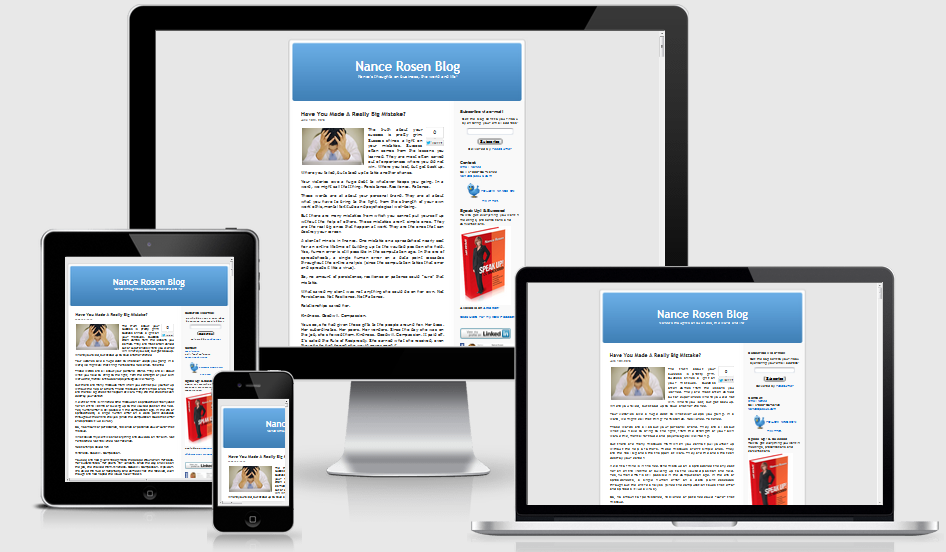
We use various devices to view websites, from laptops to smartphones to tablets. Responsive design allows your website to display content on different devices without sacrificing user experience.

Responsive Design

What is Responsive Design?

Responsive design refers to a technique that enables websites to change their layout and content based on the device being used to view them. The design literally responds to its environment. For example, if your site uses responsive web design, a visitor who opens it on an iPhone will see a layout that is optimized for that phone’s smaller screen.


Media Genesis

How do I make a design responsive?

To make a design responsive, your web design and development team will consider how different devices are going to handle the design and how users are going to respond to that design.

Designers will create a flexible appearance that can deliver complementary layouts for the various screen size options while maintaining brand integrity. Developers create the code and add media queries, which are pieces of code that check the size of the screen being used and display the appropriate layout and content for that screen. Everything from image size to the navigation structure may need to change between devices to ensure a good user experience.

Today’s web development is not about one-size-fits-all solutions; it’s about taking advantage of the opportunities presented by new technologies. Responsive web design requires early planning, but the reward is a flexible, beautiful site that works as well on a smartphone as a desktop.

Why it matters

Media Genesis

The size of the screen and the method of input (keyboard or gesture) have tremendous impact on how visitors interact with your site, and people are now moving between multiple devices to access online content.

According to the Pew Research Center, among American adults, 58 percent have a desktop, 61 percent have a laptop, 46 percent have a smartphone, and 18 percent have a tablet. Microsoft predicts that mobile will overtake non-mobile internet use by 2014.

Mobile technologies are changing the way consumers interact online, but many companies are not changing to accommodate their clients. Neil Patel, founder of KISSMetrics, notes that while more than half of smartphone users will buy from a mobile site, less than 5 percent of brands actually have a mobile site.

Ignoring responsive web design could be a huge mistake for any brand, as a bad mobile experience will give your visitors a bad impression of you. According to Compuware, 40 percent of visitors will go to a competitor if you don’t offer a good mobile experience.

Responsive web design is one way to help ensure a good user experience across multiple devices. A good user experience can translate to more visitors, more sales, and a stronger overall web presence.

According to Forbes, “Beginning April 21, Google will use mobile-friendliness as a ranking signal in search results, rewarding websites that are fully optimized for mobile platforms.

Most modifications to the all-important Google Search Algorithm have only a low-weight impact on search results, however Google says the effect of this change will be profound. It is very important for any business owner with a website to respond accordingly.”

Filed Under: Creating Traffic

3 Steps to Create Your Incredible Offer

By SoftwareGirl

SpecialOfferThe incredible offer is actually an ethical bribe given to the readers of your content in exchange for their name and email address.  An agreement is made that the reader would like what you have to offer and would like to keep in contact with you.  The reader wants to see if you’re able to deliver value and you would like the opportunity to demonstrate to the reader that you can provide value worthy of their time.  It gets its roots from the law of sowing and reaping.  You are giving away valuable content and are laying the foundation for reaping the benefit of a business relationship in the future.

You will need to know your prospective client prior to beginning.  Not just the demographics of who they are but also what they struggle with and what keeps them awake at 3 a.m.

Step 1:  List the reasons your prospective client hasn’t taken action up to this point.  This list will likely look like all the objections your prospective client has for not moving forward with achieving their goal.  When your prospective client reads this list, they will recognize their behavior or thought processes and begin to identify with your offer.

Step 2:  Create a bullet list of content that addresses each of the objections that you outlined in step one.  If you have a lot of content, that is great!  At this point, you may find that you have enough material for even a 6-week class.  You’ll be giving enough valuable content to get your reader started for now.  Then you can offer them the opportunity to work with you further if they wish.

Step 3: Create 3-5 tips that are the main free giveaway content by choosing one micro-problem that your prospective client faces every day and solve that problem or lead your prospect client through to the next logical step.  Make this meaty part extra special and oh so yummy to give your prospective client great value.  This isn’t fluff content, this is the filet mignon, the best part of s.

Once you’ve gotten this far, organize your materials, create your graphics and hook it into your autoresponder so that your content can be delivered on request.  That’s all there is to it!

Filed Under: Creating Content, Front End Offer, Sales Funnel

Divorcing Clients: When to Let it Go!

By SoftwareGirl

CrossroadsYou have screened your client, agreed to create a relationship and have created value for your client. Recently, you notice that the energy of the relationship has changed. Any of the following could be occurring:

  • General disrespect from either party
  • Client does not honor ground rules originally set at the beginning of the business relationship
  • You no longer enjoy servicing this customer
  • Your clients needs have outgrown your capabilities
  • It is getting harder and harder to please them
  • They are no longer honoring your original agreements
  • The amount of time spent to fulfill the agreement is more than the value of the agreement
  • Verbal abuse – It happens!
  • Client has stated that they (or someone they know) can perform the job better than you can
  • Constant drama
  • Insufficient lead time given to accomplish agreed upon work
  • Client is not clear on the intended goals
  • Client is not completing their required tasks and blames you
  • Client is not giving clear direction even when coached
  • Client is not devoting time needed to the project
  • Client wants you to be their personal psychologist
  • Client is expecting free services because you have become “friends”
  • Something has changed for you which does not allow you to honor the original agreement

Obviously, this is just a sampling of reasons to part ways with a client. You may have found one of the reasons above applies to one of your clients or you may have a completely different situation with which you are dealing. One thing is clear though, you are at a crossroads with your business relationship!

You will want to attempt to resolve the situation; however, if you still cannot resolve the situation it is time to work out how to amicably part ways.

Some of the things to consider are:

  • Settling the financial end of the agreement – my take on this is if it costs more to collect the monies owed than the actual amount owed, just let the client know that they will have 10 days to settle the account or you’ll be sending them a 1099 at the end of the year for the remainder outstanding. If the amount is more, you’ll need to look at how you allowed that to happen and adjust your processes to not allow that in the future along with contracting a lawyer to handle the settlement of the account.
  • Turning over control of the digital assets – give the client the information they need to gain control of the account once all monies are paid in full.
  • Meeting with your replacement – meet with them to turn over control and be courteous. You never know if they might be your next joint venture partner! If you find that they do not have the skills to replace you, advice your client of your concerns and give them 1 or 2 references of more qualified replacements.

Occasionally, there are times when emotions run high. Do everything you can to take the high road and not get baited into an emotionally heated argument. This is a transaction, nothing more, nothing less. If they wish to raise emotions, simply suggest that the meeting be postponed until they can gather their composure. Here’s a trick that I learned from my son this past weekend: He said that if he’s talking on the phone, he always listens with his left ear because the left or logical side of his brain hears the conversation first and he’s less likely to get into an emotional discussion that way. When emotions are raised, intelligence is lowered – remain intelligent!

The way you end a business relationship is just as important as how you begin the relationship. You want to part ways as quickly as possible with the least amount of hassle on both sides and allow yourself the bandwidth to move on to your next ideal client. It is possible that after a period of time, this client may realize how good they had it with you and may decide to employ your services again or they may refer someone to you based on how well this transaction is completed.


Filed Under: Marketing, Performance

7 FREE Actions to Expand Your Businesses Exposure

By SoftwareGirl

expanding-business-representation-300x277Most business owners are look to expand their business and most business owners know about TV and radio ads and how expensive those can be.  Using the premise of sowing and reaping, you can expand your business exposure using simple methods.

Basically, you will give away something in exchange for their name and email address so that you can keep in touch with them.  Normally it takes between 7-9 touch points or pieces of content to turn a prospect into a buying customer.  Feed them often enough with valuable content and you will become an expert in their eyes and then they will purchase from you.

1.  Local businesses wanting more customers in surrounding towns can add those town names to the keywords for their website.  Even if your business is digital and you know you’ll be physically in a certain area for a specific period of time, you can use the same technique along with creating a blog post and email campaign to those in the target area to let them know that you would like to work with them during that time.  This is very easy to do.  Let’s say you are located in Colorado Springs, Colorado.  You would simply to go Google and type in “cities within 50 miles of colorado springs” and you will receive several links with the surrounding cities and towns.

2. Reach out to radio stations and let them know you’re looking to expand or you’ll physically be in the area, let them know what you do and that you would like to speak on their station about a particular free offer that you have put together for their listeners.  Let them know that you are available for interviews!  Have their listeners sign up for a yummy piece of content that would be of great interest.

3.  Create a “sizzle reel” for your website and put it on YouTube as well.  You could feature your Signature Service and also mention that you are currently working to expand into a certain area.  Direct people in the video back to your website to sign up to get your yummy offer.

4.  Video of tips/tricks for YouTube and Facebook. Be you have a particular pet peeve about something in your industry, this is also a great way to educate your ideal client.  Don’t be afraid to be controversial because that will get a conversation going and create more interest about your field.

5. Volunteer your services to local non-profit agencies and first responders.  They are out in the public all the time and they are respectable citizens.

6. Be sure to claim your Google Places ad and utilize it to direct people to your website.  Be sure to have your hours of operation on the ad along with your phone number so people can contact you.  If you’re in a hard to find location, include a map or a link to Google maps so that they can just click and navigate to your front door.

7. Get out and network in the community by offering value added information at a free event.  This could take the form of a teleseminar or webinar to really expand your global reach.  At the free event, invite people to a discovery discussion where you could find out if you’re a fit to work together.


Filed Under: Creating Traffic Tagged With: business exposure, expand your business, offer value

Website Design/Development versus Virtual Assistance

By SoftwareGirl

Let’s start with some definitions:

Web design encompasses many different skills and disciplines in the production and maintenance of websites. The different areas of web design include web graphic design; interface design; authoring, including standardized code and proprietary software; user experience design; and search engine optimization.

Web development is a broad term for the work involved in developing a web site for the Internet (World Wide Web) or an intranet (a private network). Web development can range from developing the simplest static single page of plain text to the most complex web-based internet applications, electronic businesses, and social network services. A more comprehensive list of tasks to which web development commonly refers, may include web design, web content development, client liaison, client-side/server-side scripting, web server and network security configuration, and e-commerce development. Among web professionals, “web development” usually refers to the main non-design aspects of building web sites: writing markup and coding.

A virtual assistant (typically abbreviated to VA, also called a virtual office assistant) is generally self-employed and provides professional administrative, technical, or creative (social) assistance to clients remotely from a home office.

What does all this mean?  In layman’s terms, basically the website developer builds the house, the website designer decorates the interior of the house and the virtual assistant creates the open house party.  Now if your foundation cracks, typically you would not call the person who created your open house party, you would call the person who built the house.

What I see happening in the market place is that in a rush to make some money, folks are advertising that they are some sort of web/virtual guru who have no business even attempting much less getting paid high dollars until they have some training, certification, degree, sizable portfolio or massive experience.  But they’ll only charge me $2.00 per hour!  That’s great!  How do you know they’ll finish the job?  On time?  With quality workmanship?  It seems the entrepreneur is now learning exactly what the Fortune 500 companies had to learn and that is that not everyone has a great work ethic, experience and commitment and it doesn’t matter how much you saved on the job if those ingredients are not included because what you’re really losing is the time that you could’ve been pursuing income generating opportunities.  You’ll never recover that time.

Technically what I see happening as a result of the blur between these terms is half built websites, websites that look like a 13-year old built them, hacked websites due to non-existent security, angry entrepreneurs who are dazzled by the buzz words but don’t really know what they want beyond they want a professional looking website that brings them money every month.

To help bring clarity to the intimidating task of hiring your technical team, here are 7 basic questions that you can start with to get you closer to what you really want:

1.  How long have you been doing web design, web development, virtual assistance?  2-3 years is a good starting point

2.  Do you offer a guarantee?  If they won’t even guarantee that they will honor their word and deliver what is promised, RUN AWAY!

3.  May I have a link to your online portfolio?  Even someone who is just starting out will have done some practice work and will have digital portfolio.

4.  May I see your testimonials?  If they haven’t started collecting testimonials, ask for references who can speak about their quality of work.

5.  Do you maintain the solutions that you build?  If they’re not willing to maintain the solutions they build, again RUN AWAY!

6.  Do you have any degrees or certifications?  Degrees and certifications tell you that this individual has spent some time, money and effort to advance their knowledge.  Yes, there are some who choose to teach themselves and that’s where the portfolio comes into play.

7.  Who are you currently being professionally coached by?  A true professional is always learning new techniques, expanding their pool of knowledge!

When you’re starting out as an entrepreneur, don’t be afraid to work with a true professional who has experience and produces quality work.  If that little voice in your head says, “But you can’t afford it!” acknowledge the little voice by saying “Thank you for sharing” and ask the professional how you can work together to make this more affordable for you.  You may need to sell some of your products and services before you can contract the professional or perhaps they have a payment plan that you can take advantage of that is not advertised up front.

Filed Under: Creating Content, Custom Websites, Performance, Technology, Training

Is YOUR WordPress website being hacked?

By SoftwareGirl

BruteForce+AttackI received this notice from the boys and girls that provide security over my website:  “As of 11am eastern time this morning, we are monitoring the largest distributed brute force attack on WordPress installations that we’ve seen to date.”

Do you have a security program plugged into your website?  Do you know when your website is under attack?  Do you know HOW people are trying to attack your website?

I use a plugin called WordFence for my security on my websites and I love it!  I am immediately notified when anyone logs into my account with administrator privileges (including me).  I also know when someone attempts to log in to my account and uses the wrong password.  I am also able to block specific individuals from logging into my account.  There is no danger in blocking someone because they are there to do harm not to work with me.

Most WordPress developers know this already; however, I’ll mention it again here: do NOT use the default username of “admin” for your WordPress website.  When you do, the potential hacker already has 1/2 of the equation to breaking into your website.  Once they’re in that far, all they have to do is to employ a password guessing tool and before long they’re in your website as the administrator and they can do anything they want to once inside…just like you can.  It is also advisable not to use any derivatives of “admin” as well such as “admin123”.  If you already have your administrator account set up with the user name of admin, go now and create a different administrator account and remove the default administrator account.

Filed Under: Security, WordPress Tagged With: brute force attack, WordFence, WordPress security, WordPress vulnerability

Put Your Wallet Away: 3 No Cost Ways to Promote Your Business

By SoftwareGirl

When you start your business, you’re excited about it and you’ve told all the people close to you about your business.  Maybe you’ve had a few sales and some interesting conversations about what you do and how you can help others.  There comes a day usually within the first month or two of launching your business that you will realize that your business has encountered a lull and you’ve used up your warm market.  You now need to begin to promote yourself and your value and speak to strangers about your new business. 

nocostThere are many ways that you can promote your business.  As you look around in your day to day life, you will see businesses promoted by billboards, TV commercials, radio commercials, direct mail pieces that you receive in your mailbox and internet advertising.

Why did you launch your business?  You want to serve others and yet at the end of the day, you realize that you need to make a profit because everyday items need to be purchased in order to sustain the business.  You may not have created a large surplus in which to pay for advertising and yet you still need to promote your business. 

Rest easy, my friend, because my clients and I, myself, have created amazing amounts of money from my business while utilizing no cost ways of promoting business.  Using no cost means of promoting your business frees up your funds to provide for you obviously more profits but also the ability to help others and from the tiny amount of value that you put out into the world, the ripples of your influence will radiate out from you and return to you in the form of people recognizing your value and needing your assistance. 

All of the ways I will be introducing to you involve speaking to others.  Speaking to another person is a great way to promote your business without incurring a cost.  While you’re speaking with the other person about the value you have to offer you can also determine if you wish to invest your time in this person’s business to create value for them and move them to the next level in their awareness.  This type of a conversation is often called a discovery session because you get to discover the person in front of you, either physically or virtually, and they get to discover you and what you have to offer.  It is best to have no less than two of these meetings each week.  This gives you the opportunity to start out in a low risk arena.  We’ve all had one on one conversations and that’s all this is.  No cost with the potential of great return.  The medium you can use to have these conversations would be your own telephone or perhaps using Skype so that you don’t have to pay international telephone charges.

Once you have had the opportunity to have some one-on-one conversations, you may realize that you are now working more hours than you would prefer so the rest of the ways of speaking will move you from one-on-one conversations to one-to-many conversations.  You can begin to hold your own teleseminar on the topics that will bring value to your ideal customers.  While you’re bringing value, many who are attending your teleseminar will want to continue their studies with you and you would be doing a disservice to them if you didn’t give them an opportunity to continue their studies with you.  You can also be interviewed by others and give their audience value.  Generally, the host will allow you to provide their audience a way to connect with you further in the form of a gift that you would provide for them.  A great no cost medium for teleseminars is FreeConferenceCall.com and it will provide you with your own teleseminar platform that can and should be recorded.

If you have content that lends itself to being presented in a visual manner, a third way is to create your own webinar.  You can use Powerpoint slides or once you feel comfortable enough you can simply video record yourself for your webinar.  You will still be providing value and an opportunity for your attendees to connect further with you just as you would with the teleseminar.  The no cost platform that you can use for your webinars is called AnyMeeting.com and this platform will provide for 200 seats in your webinar.  As you would with the teleseminar, you will want to record your webinar for reuse at a later date.

Once you begin to speak about your business outside your friends and family, you will receive great rewards in the form of feedback and clients.  You don’t have to have it perfect when you begin!  Just get out there and do it!  Money is no longer an obstacle!  Just as a baby learns to walk by trial and error, I would encourage you to call three people today and let them know when your first teleseminar will be held and ask them to attend.  Whether or not they attend, hold the teleseminar anyway and record it.  Once you’ve decided when you’re going to hold your teleseminar, I would love to receive an invitation.  Really!  Just reply to this ezine to let me know when you’ll be holding your first teleseminar.  I love to hear about when a member of my tribe is taking action! 

To find out 7 more no cost ways to promote your business, register for the upcoming no cost teleseminar to be held February 15th at 10 a.m. Mountain Time. 


Filed Under: Marketing Tagged With: Business and Economy, business marketing, creating content, Plan Better Events, teleseminar promotion, webinar

  • 1
  • 2
  • 3
  • …
  • 10
  • Next Page »

Copyright © 2026 · Powered by Monetization Magic · Log in