Monetization Magic

Colorado Website Development

  • Home
    • Blog
  • Business Coaching
    • Action Strategy Session
    • Coaching Call Prep Form
    • Monetization Mastermind Table
    • Platinum Inner Circle
  • Services
    • Back Up and Website Maintenance
    • Hosting
  • Done For You
    • Small Business Quick Start
    • Website Development
      • Website Portfolio
      • Our Process
    • Advertising Maintenance
    • Video Web Commercials
      • Video Portfolio
  • About
  • Coaching Call Prep Form
  • Free Resources
  • Upcoming Classes
  • Media
  • Contact

Website Design/Development versus Virtual Assistance

By SoftwareGirl

Let’s start with some definitions:

Web design encompasses many different skills and disciplines in the production and maintenance of websites. The different areas of web design include web graphic design; interface design; authoring, including standardized code and proprietary software; user experience design; and search engine optimization.

Web development is a broad term for the work involved in developing a web site for the Internet (World Wide Web) or an intranet (a private network). Web development can range from developing the simplest static single page of plain text to the most complex web-based internet applications, electronic businesses, and social network services. A more comprehensive list of tasks to which web development commonly refers, may include web design, web content development, client liaison, client-side/server-side scripting, web server and network security configuration, and e-commerce development. Among web professionals, “web development” usually refers to the main non-design aspects of building web sites: writing markup and coding.

A virtual assistant (typically abbreviated to VA, also called a virtual office assistant) is generally self-employed and provides professional administrative, technical, or creative (social) assistance to clients remotely from a home office.

What does all this mean?  In layman’s terms, basically the website developer builds the house, the website designer decorates the interior of the house and the virtual assistant creates the open house party.  Now if your foundation cracks, typically you would not call the person who created your open house party, you would call the person who built the house.

What I see happening in the market place is that in a rush to make some money, folks are advertising that they are some sort of web/virtual guru who have no business even attempting much less getting paid high dollars until they have some training, certification, degree, sizable portfolio or massive experience.  But they’ll only charge me $2.00 per hour!  That’s great!  How do you know they’ll finish the job?  On time?  With quality workmanship?  It seems the entrepreneur is now learning exactly what the Fortune 500 companies had to learn and that is that not everyone has a great work ethic, experience and commitment and it doesn’t matter how much you saved on the job if those ingredients are not included because what you’re really losing is the time that you could’ve been pursuing income generating opportunities.  You’ll never recover that time.

Technically what I see happening as a result of the blur between these terms is half built websites, websites that look like a 13-year old built them, hacked websites due to non-existent security, angry entrepreneurs who are dazzled by the buzz words but don’t really know what they want beyond they want a professional looking website that brings them money every month.

To help bring clarity to the intimidating task of hiring your technical team, here are 7 basic questions that you can start with to get you closer to what you really want:

1.  How long have you been doing web design, web development, virtual assistance?  2-3 years is a good starting point

2.  Do you offer a guarantee?  If they won’t even guarantee that they will honor their word and deliver what is promised, RUN AWAY!

3.  May I have a link to your online portfolio?  Even someone who is just starting out will have done some practice work and will have digital portfolio.

4.  May I see your testimonials?  If they haven’t started collecting testimonials, ask for references who can speak about their quality of work.

5.  Do you maintain the solutions that you build?  If they’re not willing to maintain the solutions they build, again RUN AWAY!

6.  Do you have any degrees or certifications?  Degrees and certifications tell you that this individual has spent some time, money and effort to advance their knowledge.  Yes, there are some who choose to teach themselves and that’s where the portfolio comes into play.

7.  Who are you currently being professionally coached by?  A true professional is always learning new techniques, expanding their pool of knowledge!

When you’re starting out as an entrepreneur, don’t be afraid to work with a true professional who has experience and produces quality work.  If that little voice in your head says, “But you can’t afford it!” acknowledge the little voice by saying “Thank you for sharing” and ask the professional how you can work together to make this more affordable for you.  You may need to sell some of your products and services before you can contract the professional or perhaps they have a payment plan that you can take advantage of that is not advertised up front.
Filed Under: Creating Content, Custom Websites, Performance, Technology, Training

10 Ways to Expand Your Brick and Mortar Business – Part 2 of 2

By SoftwareGirl

This post is a continuation of 10 Ways to Expand Your Brick and Mortar Business – Part 1

Meaningful content on the website.  Due to the Google search engine, it is imperative that meaningful content be placed regularly on your website.  That is why most static websites do not rank well with the search engines.  The search engines and your potential customers are interested in what is new and exciting.  If you just have a billboard website that states your name, address and phone number, and your competitor has a website that talks about weekly events, what’s new in the industry, new inventory, new employees and is constantly updating their website, they will naturally outrank you in the search engines.  Ranking is what the industry is all about because let’s face it, if you’re not on the first page or two of search results, most folks will never see your website.  The object is to engage your customer so they see you as a friend even before they pick up the phone or park in front of your business.  People buy from people they know, like and trust.  They want to see people and people in motion on your website rather than just having pretty pictures and text to read.

Google places.  Google places is a free ad for businesses so that their basic information can be found out on the internet.  Optimally, your place on Google places will also have a link to your highly interactive website along with your business hours and a map so that your business can be located.

Host events.  Your business needs to be a hub of activity and the way to make it a hub of activity is to host events.  Invite people into your business.  Host a Chamber of Commerce after hours event, ol’ Cal would often film the commercials at his lot so there was always a new animal to view.  You can also invite people in for free maintenance or checkups to ensure they will not need expensive service later.  For a car dealership, offer to have heater and air conditioning check ups, tire rotation, brake inspection, belt and hose inspection and other easy value added services.  The events you host are done to add value to the customer experience.  When you add enough value, your prospective customer will come to see you as a trusted resource. 

Incredible Offer.  You want to give prospective customers an incredible offer.  For the car lot, it could be a coupon book for discount services or free detailing on their current vehicle.  When you give the incredible offer it is always something they would definitely want and it is in exchange for their name and email.  You will continue to use their name and email to notify them of future events and other items of interest.

Complimentary Products.  Once your customers purchase an item or service from you, they usually will purchase complimentary products to make their initial purchase last longer or to decorate their initial purchase.  In the example of the used cars, complimentary products would include extended warranties, car insurance, supplemental car insurance (like AAA), car washes, car audio, specialty rims, car security, tinted windows, windshield replacement and repair, mobile oil change services, after market part suppliers and apparel.

Digital Products.  Digital products are great because you can make them once and sell them over and over again.  Digital products for a car dealership might include a video of what to check when buying a used car, it could be an affiliate link to a supplier that carries something that is commonly ordered that you choose not to stock, digital products could be tickets to a concert for a celebrity that happens to be coming to town next week that sponsors your vehicles, or sound file of what your cool mufflers actually sound like when installed on your car.  You’re probably laughing about that last one but that is an actual product…and my friend paid $29 for that sound file….still laughing?

Newsletter.  The newsletter is published at least twice a month telling your customers about upcoming new events and information having to do with your business.   You can also tell them funny stories or invite to future events.  For the car business, a newsletter could be used to notify customers of recalls and give them ways to quickly and easily take care of needed maintenance.  Let them know about your shuttle service.

Social Media.  Social media is where you create a community around your business.  You’re still being of service and it helps to create a buzz around your business.  For the car dealer, you might want to list videos of the latest sliding cars due to the ice storm last week, or pictures of the most modified cars.  You could have poll on the upcoming changes in the new car models.  You could have a poll on whether girls or guys like a particular model better than the other.  You would want to take pictures of your live events and post those up on social media for others to see.

If you like what you read in this article and would like to see how you can expand YOUR business, apply for a complimentary Action Strategy Session so that you can have a clear roadmap to take your busines to the next level!  The Action Strategy Session is valued at $297.00 and will give you concrete ways that you can move forward in your business.

Filed Under: Creating Content, Creating Traffic, Custom Websites, Events, Front End Offer, Performance, Sales Funnel, Services Tagged With: Facebook, Google, Keywords, Plan Better Events, Website, website design

7 Secrets of Great Website Designers (Part 3 of 3)

By SoftwareGirl

Early in this article we established that every minute of every day there are hackers out on the internet modifying code in websites that are not theirs.  Some do it to be malicious, some do it just to be able to say that they did.  No matter their motive, your website needs to be secure just as you need to lock the front door of your home to discourage hackers to take their mischief to a less secure target.  This brings me to my next point in this article.

#5: Security

It important to use good secure passwords when setting up your websites.  I once made a website for a colleague and used a very easy password for him because he would be changing it to something he could remember as soon as he logged in.  I believed it would be 10 minutes at the most before he changed the password.  His cat threw up on the carpet as some cats will do and he took 30 minutes to clean the carpet.  When he tried to log in, he was unable to get into the website.  He called me and I was also unable to log in!  When I looked at the front end of the website, I knew immediately what had happened.  It looked completely different than when I had set it up!  Not only that, but there was a nice ransom note on the front of the website!  We were able to recover the website but it required setting it up again from scratch and backup media and a MUCH more secure password. 

What makes a secure password?  It depends on who you’re securing your website from and what is being secured.  To just keep the honest folks honest, I suggest most passwords be at least 8 characters long, using both upper case and lower case characters and at least one symbol.  Make it something you can remember.  Change the password about every 6 months.

You will also want to use a form of security software to discourage attacks like automated logins, SQL injection strings and other fairly easy ways of breaking into your site.  Different platforms have different ways of dealing with this and is outside the scope of this article.

#6:  Resources and Tools

The resources and tools of the website designer can run thousands of dollars.  Starting with the operating software of their own computer, to the graphics packages, to media rights, to security packages, to constant training, it all costs money and time to stay up to date on the craft.  Sure there’s lots of free software out there but it still takes time to master it.  Just as the mechanic needs the proper tools and replacement parts to work on your car, the website designer needs the proper hardware and software to be able to build your best website.  If he or she needs to hire the skills to ensure your timeline can be met, that is another cost.

The resources and tools that you have could mean that you need to restore your website from your backup copy.  Let’s say you actually have a backup.  Now what?  What do you do with it?  If you are able to get to the restore facility to do the website restore, what do you do if you don’t get a message of “restore successful” at the end of the restore wizard process?  The answer is, it depends on what went wrong.  An experienced professional will know what to do and where to look for the answer.  Generally a website designer who has already worked with you, will be much more eager to jump on board during your time of need because they are already familiar with your set up rather than trying to hire someone to figure out your crisis during your crisis.

#7: Search Engine Optimization

This is the long heralded holy grail of the website designer.  It is important to know what you’re doing when you’re setting up search engine optimization.  Having said that, it is important to have keywords used in your website so that your ideal customer can find you when they are doing a local search.  If your website is not found on the internet, there is no way that your ideal customer will see your website.  They would need to know your exact website address or business name before they were able to find you.  They would need to already know your business before finding your website.  If you’re going to have a website on the internet, wouldn’t it make sense for you to have key words on the website so that your website would be displayed when your ideal customer types in the exact product category that you business specializes in?  For instance, if you have a newcomer to your area moving to your town and they are looking for your specialty, let’s say your specialty is diamond necklaces.  If they type diamond necklaces and your town name into the Google search bar, would they find your business or your competitor?  If they find your competitor first and they also give great service, you may have lost a customer for life!  This is why search engine optimization is SO important.

When you’re building your own website, you may not even know about these secrets much less be able to implement them in a timely efficient manner so that you can begin to make the money that you need.  When you do decide to have someone else create your website for you, use this list and ask questions so that you can understand just what it is that you are paying for.  This is an investment of your hard earned money that will pay you for many years down the road.  If you have any questions, feel free to leave a comment or use the Ask SoftwareGirl area to contact me directly.

Filed Under: Custom Websites Tagged With: first blog, Keywords, Search engine optimization, website design, website development, website security

7 Secrets of Great Website Designers (Part 2 of 3)

By SoftwareGirl

In the previous post we discussed, why and how often you should back up your website.  In this continuation we will discuss the 2nd secret of website designers which is:

#2:  A nice looking website doesn’t guarantee you’ll make any money from it!

First a story, then the lesson:  When I was working in Corporate America, I sat in what is commonly termed as a cube farm today.  A cube farm is rows and rows of cubicles that have desks for people to work at.  The company I worked for literally had acres of cubes for people to sit at doing their jobs each day.  We were chained to our desks by the wired headsets that we wore so that we could participate in the many teleconferences that we had to attend each day in order to do our work or we were speaking with our clients to obtain information about one of their systems.  I worked on a core team of individuals who each specialized in a part of a greater system.  We had contractors who would help us out during busy times so that we could meet our deadlines.  Contractors were just as important as the core team and would often work in different teams over the course of time.  There was a contractor that worked across the aisle from me and because of the nature of my work, I was co-located between Colorado and Georgia, I was unable to get to know this contractor very well, which is to say, not at all other than knowing his name.  Apparently whatever he was working on, required him to be away from his desk a lot during the day which was not unusual so we didn’t know each other very well.  One day, my manager was about to introduce some new international interns to our teams and he ran down the aisle and asked me where the contractor was.  I told him I didn’t know but I would page him and have him return to the area as soon as possible.  He then proceeded to ask me what the contractor did and my response to him was, “I have no idea what he does, but he sure is pretty!”. 

I share that with you to impress upon you that you, as the business owner, need to know what your website should be doing for you.  Is it just something to look at and read content and move on or do you want it to actually to showcase your products and allow customers to purchase immediately?  The old adage of “the eye buys” is entirely true.  I find it incredibly frustrating when I see a product online and have no way of purchasing what I see because there is not a Buy Now button right on the website.  If I have to call a number to speak to a human, I get concerned that there will be a language barrier, they won’t get my billing and shipping details correct, they’ll get the item number wrong or they’ll use my credit card information inappropriately.  If I call and I have to press “1” for English or go through one of those hideous phone menu labyrinths, it’s much easier for me to just go to the next website in the Google search list to get the product that I want.   Basically, the fewer hurdles you put between your product and your customer’s wallet, the better chance you have at making a sale!

#3:  It takes longer than you think to create a website!

Even when you have all the graphics, website copy, your incredible offer, know exactly how to hook in your shopping cart and autoresponder, social media links and everything else it takes to create a well functioning website, it still takes time.  Just as it took you longer to get across the room when you were learning to walk compared to someone who was experienced in walking, so it will also take you longer to build your website.  If you are not gifted with the knowledge of technology, it will be even longer and possibly more frustrating.  Will you eventually figure it out?  Maybe…maybe not.  That’s not the point.  The point is that you’re now trying to figure out how to put together a website when that is not your core knowledge so you’re now not concentrating on your core body of knowledge. 

How much is your time worth?  Let’s say you’re  a cake decorator and you sell your cakes for $10 each.  This is an extreme example because if you’re a master cake decorator, you can easily make more than $10 per cake but you get the idea.  How many cakes does it take to pay for a basic website?  A basic one-page website may cost $300 or 30 cakes.  Even if it takes 2 hours, you can probably fit 4 cakes at a time in a normal oven which is 8 ovens full.  Eight ovens times 2 hours is 16 hours.  A very full day of doing what you love!  Raise the price of the cakes, put more cakes in one oven or use two ovens and you’ll reach your goal of $300 much quicker with the added benefit of doing what you love so it’s not a chore!  How much non-income producing time do you have to throw at learning how to put together a website?  When I learn new things, I expect to make mistakes and it’s part of my learning curve.  How much time and money do you have to through at a non-income producing venture?  If you need to make money fast, you want to move through everything that doesn’t produce money fast so that you can concentrate on what does make you money and that is your core competency whether than is personal fitness or cake decorating.

#4:  If computer technology is not your core skill set, you will be learning to do a lot of things one time and never use that skill again before the technology changes.

When a website is put together, once the initial structure is put into place, you rarely need to touch it again.  If it’s not done correctly, it will need to be done again.  That is also known as wasted time and energy.  Anything that you stack on top of it will also need to be replaced as well.  Technology (i.e. hardware and software) are constantly being updated.  By the time you need to use that knowledge again, the technology will likely have changed.  Why would you take the time to master it in the first place if you don’t need to?  You didn’t go out and take an automobile assembly course when you needed to learn how to drive, right?  So why do you need to teach yourself how to build a website if you’re a cake decorator?


Filed Under: Custom Websites Tagged With: first blog, Keywords, Search engine optimization, website design, website development, website security

7 Secrets of Great Website Designers (Part 1 of 3)

By SoftwareGirl

Time is your most precious commodity.  Most people that I interact with who are starting their own business need to make money and they need to make money FAST…like yesterday!  They may not know what they’re doing but they know that they need to make money and they’re passionate about it.  I love the enthusiasm of a budding entrepreneur!  I generally speak to two types of people about their website and you’ll laugh when I tell you who these two types are:  those that have a website and …. wait for it, those who don’t have a website.  That’s pretty obvious; however, they share something in common which is the topic of this post.  Neither group knows the secrets of website designers.

Sometimes when I speak to my potential clients, the very first question they will ask me is how much it costs for my websites which is the WORST question they could ask me!  My websites currently run anywhere from a couple hundred dollars to several thousand but what does that really tell you? I’ve answered the basic question without going into a diatribe about what it is that you really need but I haven’t helped you to make a decision.

Sometimes when I speak to a potential client, they assume that they cannot afford my services and tell me as much.  I’m always mystified when this happens because they don’t even know my website address which is not the same as my company name s I know they haven’t done any research on what my offerings are, much less have any idea on how a website could help with their business.  If you’re thinking that your website is just a digital billboard on the information highway, you couldn’t be further from the truth!  This is usually the time when folks will also tell me that they can create their website using a free new tool or they have a brother-in-law that does websites or what I do really isn’t that difficult because they heard someone else talking about it.  I will always tell them to sign up for my Website Performance Tool which I offer for free on my website and wish them well on their endeavor.

Thinking of Creating Your Own Website?

Their are secrets that every website designer knows that they typically will not share with their clients or even potential clients.  They are secrets because we all know them and accept them as part of being what we do and we think they’re rather uninteresting to our clients.  Not knowing these secrets can put clients in a precarious position if one of these things happens and the website designer has not taken the proper steps to mitigate the risks.  What?!  My website (and potentially my entire business) could be at risk?  Yes, yes it could and that’s why you need to hire a website designer who not only knows the secrets but also know what to do about the secrets.

Secret #1:  Backups are essential!

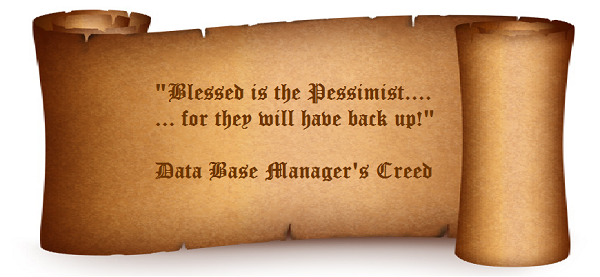
BackupPessimist2Prior to speaking with a business owner about their website, I will often do my homework about what they already have in terms of a website.  I already know what it’s written in, where it’s housed, how long it’s been on the internet, what it’s worth, how fast it is, can it be seen on the newer technologies like the iPad and an entire list of things that I check out before speaking to the business owner so that I can have an intelligent conversation with them! 

One of the very first questions and the most important question that I ask them is where and how often is your website backed up?  They have spent considerable time, effort and money creating this website, you would think that it would be important for them to secure that investment, right?  I would say that 90-98% of the business owners I speak to do not have a back up of their website!!  

Disaster recovery is one of the first concepts taught in formal education when someone is getting an information technology degree because it is not a matter of if your data disappears or becomes corrupt, it is a matter of when you lose your data.  It never happens at a good time.  Think about it for a minute.  How much time and money would it take for you to recreate all the content, programs, lists, custom graphics, logos, custom code that you have invested in your website currently?  Every single minute of every single day, there are hackers out there who are thrilled when they can bring down someone else’s website or take it over and use it for their purposes. 

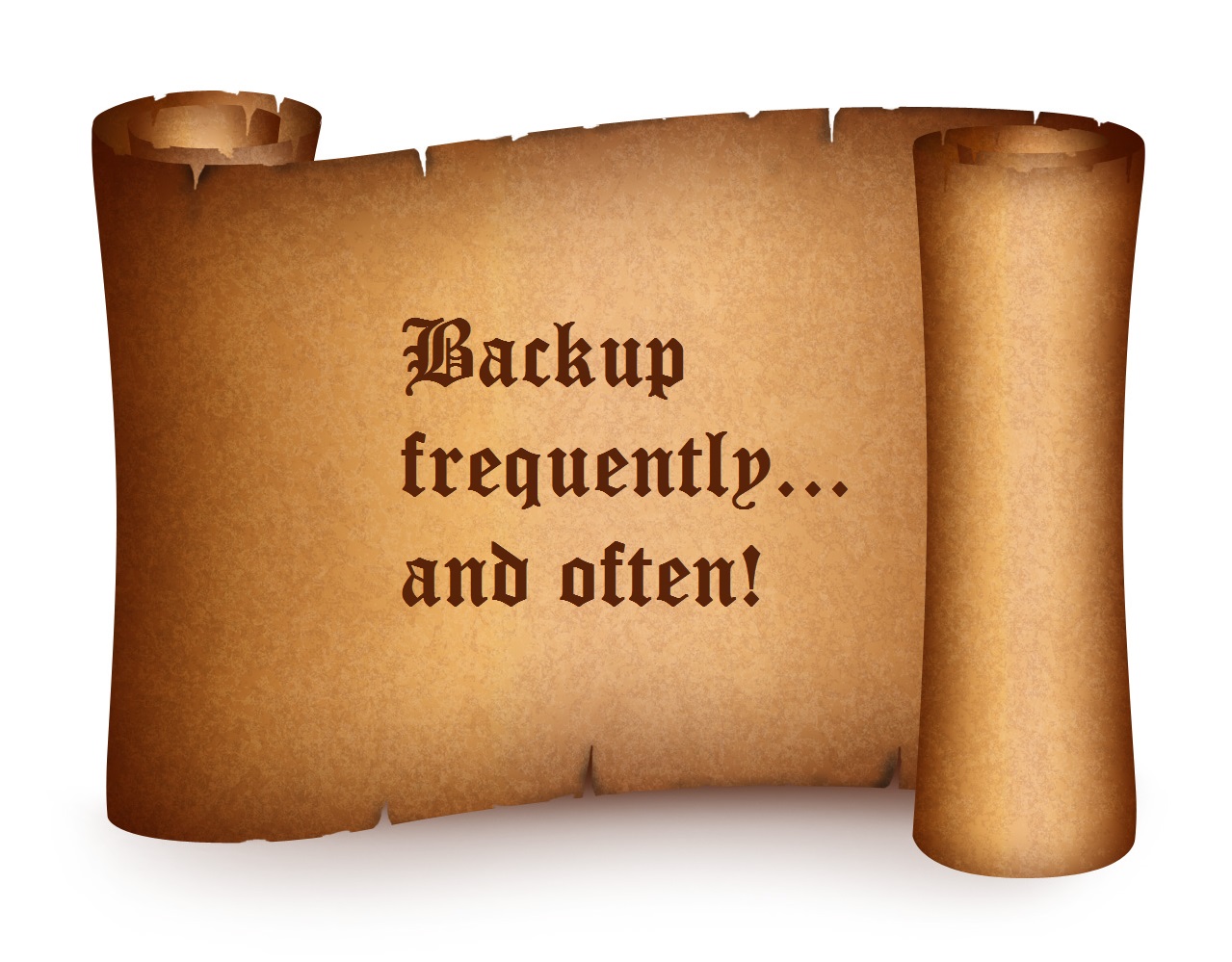
For me, it first happened during finals week when I was in college and had 7 projects due that I’d been working all semester on.  What resulted as a result was 7 uncomfortable conversations with professors about why I didn’t listen to and apply the knowledge gained in the discussion about disaster recovery, total embarrassment, countless hours recreating a semester’s worth of work in under a week and a lesson very well learned!  Ever since I have lived by the creed of “Backup frequently and often!” and some of you may have picked up on that statement being redundant.  Yes, it is and so should your backups be redundant!  For the rest of my college days, I had a minimum of 4 copies of my work.  Why 4 copies?  Because one time, the first 3 failed!BackupFrequently


Filed Under: Custom Websites Tagged With: first blog, Keywords, Search engine optimization, website design, website development, website security

Why Your Business Needs a Website

By SoftwareGirl

  • Present your business with confidence.
  • Your client’s can easily access your product, service or information.
  • Your business is always open when it is online!
  • Better sales conversion and leads.
  • Present a professional image with better business branding and marketability.
  • A good website is the best investment your business will ever make.
  • Get an edge over your competition.

In addition, with your website, you have the ability to:

  • Offer complimentary products and services that you do not directly supply but you do get paid for!
  • Expand your marketing reach to a global audience
  • Provide digital products for your clients
  • Allow your customers to shop even when your storefront is closed
  • Provide more ways to receive money into your business in the form of multiple streams of income
  • Get paid from Google or other sources for advertising on your website
  • Automate some of the repetitive tasks for your business without adding additional employees
  • Have your customers schedule their own appointments
  • Remove accounts receivables from your business model eliminating collection costs
  • Mature your business by providing your products and services to more than one person at a time
  • Market to people in their native tongue (language translation in over 50 languages)
  • Have customers fill out paperwork and return it to you prior to their initial appointment
  • Improve the cash flow for your business
  • Provide a payment plan for your business to increase number of customers
  • Form partnerships with other companies who market your products/services and you only pay for results!

Want to try it out?  Schedule your own time to discover what a website can do for your business!

ScheduleAnAppt


Filed Under: Custom Websites Tagged With: website design, website development

Seasonalize Your Website

By SoftwareGirl

As we approach the coming holiday season, it seems that everything is getting decorated. Have you thought that perhaps you’d like to decorate your WordPress website a bit as well? Now you can! I found a nice little plug in that will float objects down (for snowflakes and such) or up (for balloons and such) on your website pages. The plugin is called “Snow, balloons and more” and is a no cost solution for you!

What I like about this plugin is that it shows the images you want and they show up nicely then over the next 30 seconds or so and then fade away.  The images are there long enough for the “Oh cool” effect but not so long that your reader becomes irritated with the movement on the page.  There are several options of what you want to fall across your page.  You can choose snow, balloons, leaves, raindrops, etc.  The author of the plugin also encourages sending additional graphics to be included in the plugin.

This is a nice plugin that works well, doesn’t look too cheesy and gives the reader an uplifting experience while they visit your website.  Enjoy!

Filed Under: Custom Websites Tagged With: Wordpress snow plugin

Blogging for Business Growth

By SoftwareGirl

Gone are the days when having a website meant that you had a cute picture of your store front with your business name, address, phone number and hours of operation.  Today’s website needs to include a blog, social network connections, free give-away items, an area to get more information from the business, an area to submit an e-mail from the website, items for sale and in some cases an events calendar.

Does that sound like a lot of hats to wear in addition to your normal day-to-day operations?  Actually, it’s a blessing rather than a curse.  It’s a blessing because you don’t have to do everything yourself.  You are able to hire someone else to do some of the work for you at a reasonable rate.  Other tasks can be created once and automated so that you can get back to the normal operations of your business.

The websites of today can introduce several additional streams of passive and residual income to your bottom line.  The optin area is used to gather names and email addresses for people who are interested in learning more about what you have to offer or perhaps to receive your monthly newsletter.  The email addresses are fed to your auto-responder software to send out communication to your current and prospective customers to let them know key items about your business.

For instance, let’s say you have a heating, ventilation and air conditioning business.  Every fall it starts to get cold and every spring it starts to get warm.  Every month we’re supposed to change the filter in our systems.  What if every summer, your email system automatically began to notify customers that they needed to contact your company to set up an appointment to have their furnace serviced to take advantage of the Early Bird special?  What if every winter, your email system automatically began to notify customers that they needed to contact your company to set up an appointment to have their air conditioner serviced to take advantage of the Spring Early Bird special?

Customers might even choose to schedule their appointments and pay for the service prior to you performing the service.  It’s convenient for them and would remove some receivables from your books.  WooHoo!  Instant cash flow!  I can see your accountant clicking their heals already.

Your blog could be used to educate your customers on the proper way to install a filter or drain a sprinkler system.  It could also be used to let your current and prospective customers that you regularly maintain the local soup kitchen for no charge just because you like to give back to your community.  Your blog gives your business a human touch to an otherwise cold relationship.  If your little business will be doing an exhibit at the local home and garden show, you can let your customers know to stop by and see you to pick up their coupon for one of your services along with something nice to drink.  People like to do business with people whom they know, like and trust.  You may not have time and resources to meet and greet all your customers, so put some systems in place to do that work for you.

Take a look at the website you have today.  If your website is more like an unlit billboard in the night than a fully interactive, systematized money-making machine, consider having an Action Strategy Session with me so that you can begin adding more to your bottom line before your competition gets a hold of this valuable information.  The normal investment for this service is $349.00.  The Action Strategy Session is even priced for today’s economy because you can take advantage of the Take Action Special for $97.00.  You may just find there are 10-15 different income streams that you can take advantage of that you hadn’t even thought about before your Session.  Reserve your time at I’m always happy to help!

Enhanced by Zemanta

Filed Under: Custom Websites Tagged With: AWeber Communications, Business, Business and Economy, Customer, Email address, Entrepreneur, Mail, Marketing, Social network, Website

  • 1
  • 2
  • Next Page »

Copyright © 2026 · Powered by Monetization Magic · Log in